Travel smarter and worry less with our Cover‑More app
Buy travel insurance, get real-time safety alerts, access 24/7 support with the tap of a button, and use our AI itinerary planner.




Why you’ll want to travel with our Cover-More app
Our app is best kind of travel pal. It has great ideas about where to go and what to do. It keeps its cool when things don’t quite go to plan – and during a crisis. Yes, it helps keep you safe, informed, and supported.

It's easy with our app. Just tap the ‘Get quote’ button, add your travel information and get cover, fast.

You can access your policy and PDS anytime in our app, to see your trip details and what you are (and aren’t) covered for.

Our app can deliver safety info to your phone as a potential risk is unfolding. Yep, it can give you the heads up on weather events, risks or disruptions.

Our app has an AI-assisted itinerary planner. Tell it what you’d like to see and do and get a bespoke travel plan.

We’re always here if you need help or support while you’re travelling. Just tap the ‘Call emergency assistance’ button to reach us.

Use our app if something goes wrong while you’re away and you want to make a claim straight away.
It's easy with our app. Just tap the ‘Get quote’ button, add your travel information and get cover, fast.
You can access your policy and PDS anytime in our app, to see your trip details and what you are (and aren’t) covered for.
Our app can deliver safety info to your phone as a potential risk is unfolding. Yep, it can give you the heads up on weather events, risks or disruptions.
Our app has an AI-assisted itinerary planner. Tell it what you’d like to see and do and get a bespoke travel plan.
We’re always here if you need help or support while you’re travelling. Just tap the ‘Call emergency assistance’ button to reach us.
Use our app if something goes wrong while you’re away and you want to make a claim straight away.
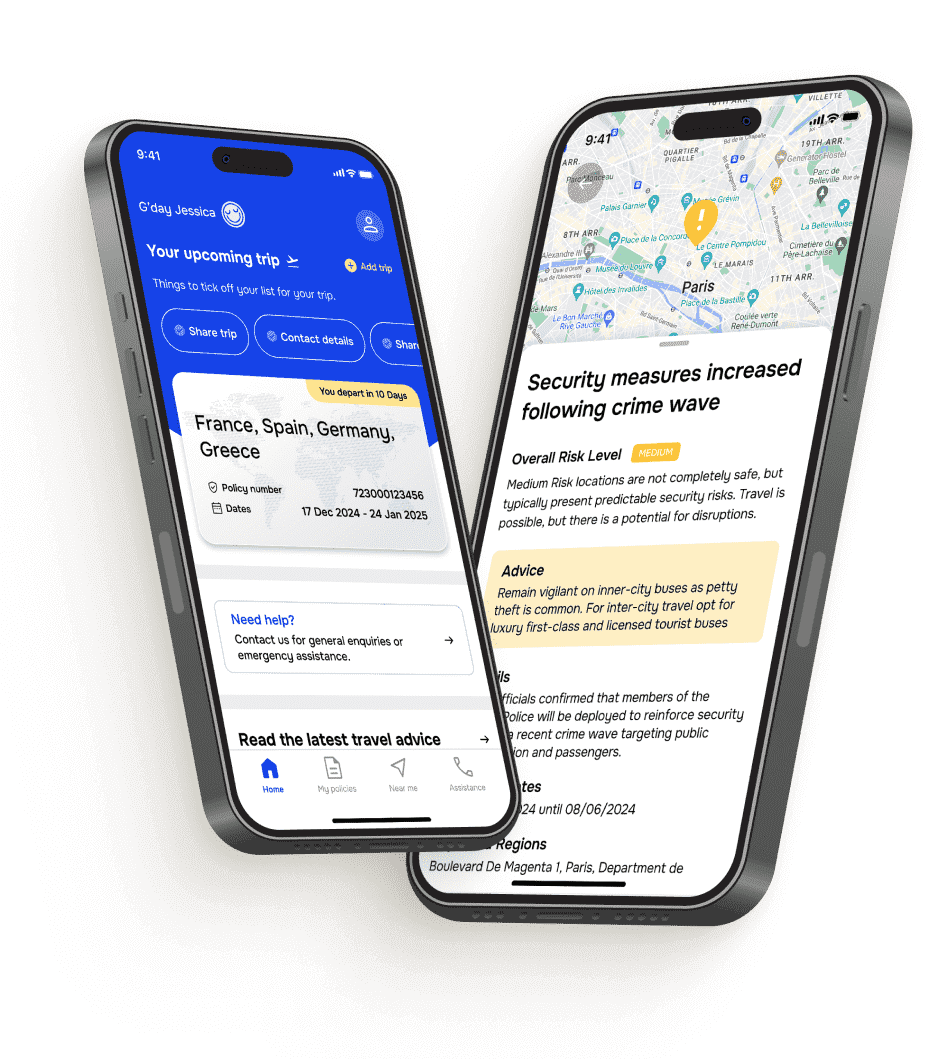
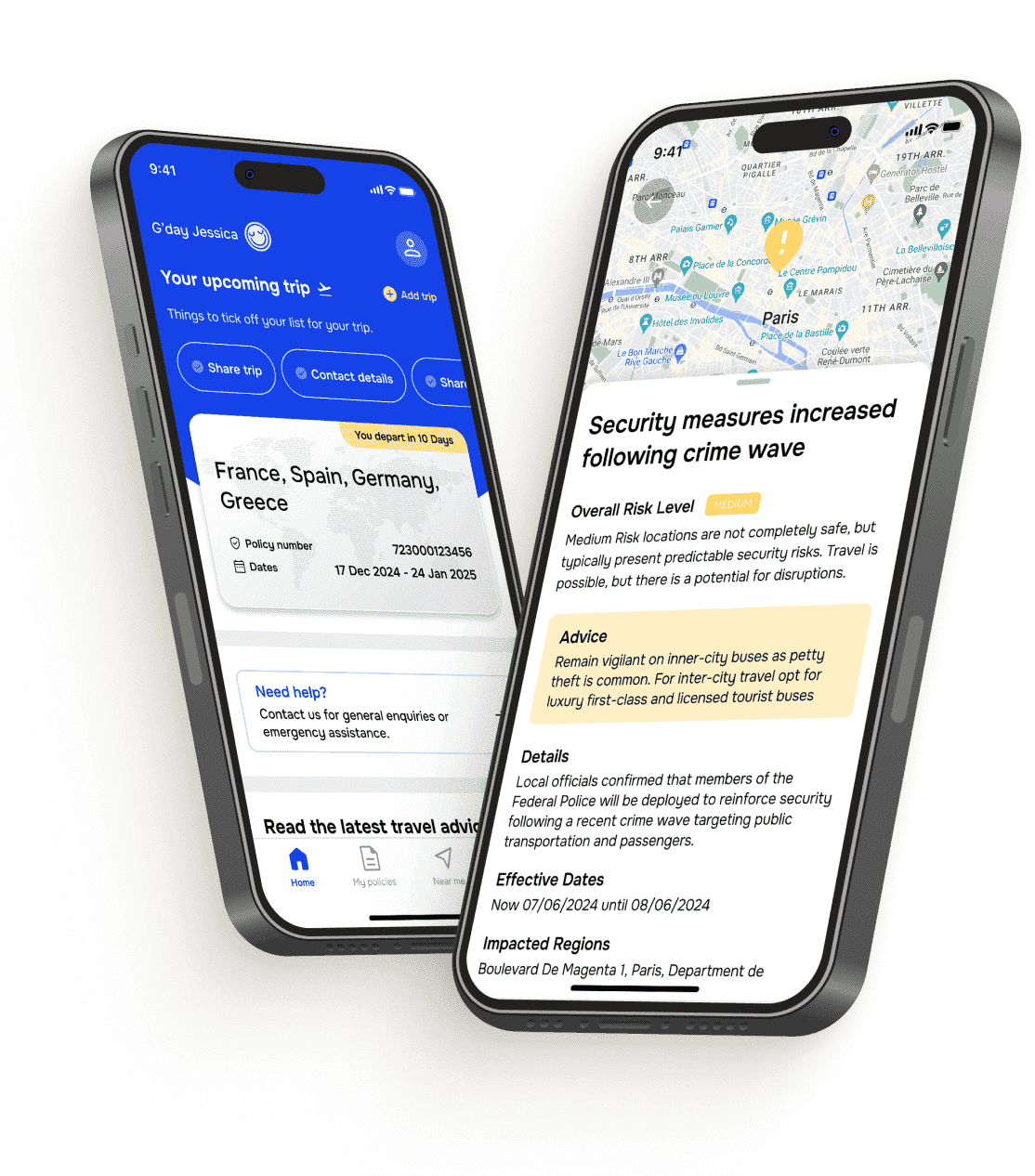
Use it to buy cover, keep your policy handy, and plan a bespoke itinerary. Plus, you get real-time safety advice, and access to 24/7 assistance when you need it most.
Discover even more useful stuff before you hit the road
If you’re planning to drive overseas, want to avoid a claim denial, or need more proof our app could be one of the best travel planning apps out there, we’ve got the (travel) goods.


Licences are important for all kinds of drivers and riders. Find out if you’ll need this travel document while you’re away.
Read before driving overseas

Discover how to avoid the mistakes some travellers– including motorbike and moped riders – make on holiday.
Avoid these claims mistakes

Easily access to travel alerts, advice, your policy documents and 24/7 emergency assistance from the road.
Check out our appCover-More app FAQs
Curious about our app? Let’s unpack your questions.
Our Cover-More App is available on both iPhone and Android devices. You can visit the App Store or Google Play to download it.
Our Cover-More app is available to travellers who purchase or who are listed on an active Cover-More travel insurance policy.
If you are not a current policyholder, you can generate a quote online.
You can download our Cover-More app and create an account at any time.
You can download our Cover-More app from the App Store or Google Play and create an account at any time.
However, to access the full benefits of our Cover-More app, you will need a Policy Number. Your Policy Number can be found in your Certificate of Insurance email.
If you are an existing policyholder, you can create an account in our Cover-More app using your Policy Number and the primary traveller's last name (both found in your Certificate of Insurance email).
If your previous policy has expired and you’ve purchased a new one, simply add your new Policy Number by selecting the ‘Add a Policy’ button.
If you created an account within our Cover-More app prior to purchasing a Cover-More travel insurance policy, you will need to add your new Policy Number once you receive your Certificate of Insurance email, as well as enter the details of your upcoming trip(s) to access relevant travel information, as described in this section.
All travellers covered under the primary traveller's policy can access and use our Cover-More app.
To grant the other travellers on your policy access to our Cover-More app, simply share your Policy Number with them. This is contained within your Certificate of Insurance email. The traveller(s) on your policy will also need to enter your (the primary traveller’s) last name as part of the validation process when creating an account.
If you are the primary traveller listed on your policy, you will find your Policy Number on your Certificate of Insurance email we sent you when you purchased your Policy.
If you are covered by a policy but are not listed as the primary traveller, please contact the primary traveller on your policy and request the Policy Number from the Certificate of Insurance email.
If you already have the Cover-More app on your device and you’ve recently bought another policy, you can easily sync your new Policy Number in our Cover-More app.
To sync your new Policy Number, navigate to the menu on the bottom of the app and select ‘Policies’.
If your new Policy Number is not listed, tap on the ‘Add a Policy’ button, then enter your new Policy Number and wait for the app to locate it before tapping the ‘Add a Policy’ button to complete the process.
Yes, our Cover-More app will contain COVID-19-related information and display relevant travel alerts for your trip destination(s).
When you select the ‘Emergency’ button within our Cover-More app, your device will automatically provide the correct number to call to access assistance based on your Policy Number. You will then need to select 'Call Now' on your device to call to our 24/7 emergency assistance team.
This means you will need to have access to an active phone plan, Wi-Fi, local sim card, or international roaming while on your trip to be able to connect with the emergency assistance team. These factors, plus various rates for international calls, may result in a charge from your mobile carrier.
Allowing us to send you app notifications helps you focus on enjoying your trip instead of thinking about constantly checking our Cover-More app for new intelligence that may affect you or your upcoming travel plans.
If you activate notifications, our Cover-More app will automatically alert you when new intelligence is available or if our emergency assistance team has contacted you about an active or emerging risk so you can stay up to date on important information with little effort.
Yes. To use our Cover-More app and receive alerts or notifications relevant to your current location and trip, you must have access to Wi-Fi or an active mobile phone data plan within your travel location.
You can use any email address when setting up an account in our Cover-More app; however, it must be an email address you have configured on your device and have access to during the setup process and ongoing.
If you use an email address you do not have access to, you will not be able to use our Cover-More app or benefit from its features.
Our Cover-More app requires policyholders to supply an email address for a couple of reasons:
- Your email address is used as a unique identifier to create your Cover-More app account. When you come back to use our Cover-More app for your next trip, it's a simplified process that only requires your email address to log in.
- Your email address is used to send service emails during the account set up, which allows you to activate your account.
- Your email address is used as a form of communication between you and our emergency assistance team should we need to advise you of an active or emerging risk that's nearby or that you need to be aware of while you're on your trip.
For information on how we collect, store, and use your personal information, you can view our Privacy Policy.
When you grant our Cover-More app access to your device's geo-location while you're on a trip, it helps our Cover-More team keep you safe.
This information is then used by our emergency assistance team to monitor risks and security alerts that may affect you while you're at your trip destination(s).
Providing us with the geo-location of your device allows you to move around and explore with confidence knowing our team can precisely monitor active and emerging issues at your current location as you travel.
Then, if you are at risk at your location or need to be made aware of nearby threat, our Cover-More app will send you a notification.
For information on how we collect, store, and use your personal information, you can view our Privacy Policy.
If you're having trouble downloading, creating your account, syncing your Policy Number, or adding a trip to our Cover-More app, you can contact our friendly Cover-More Customer Solutions team for pre-trip assistance on:
- Email: [email protected]
- Phone: 1 300 72 88 22
…so they can help guide you through the following steps:
- Downloading our Cover-More app from Google Play or App Store;
- Setting up your account using your Policy Number and last name

Got more questions? Check out our
FAQs hub or call us on 1300 72 88 22.